Selecting SEC reporting software is one of the most consequential decisions your finance team will make this year. The right platform can cut your filing cycle time in half, reduce errors, and give your compliance officers peace of mind during each reporting deadline. The wrong choice? That means late nights, manual workarounds, and the constant fear of regulatory penalties.
This guide walks you through everything you need to know about evaluating SEC reporting software for private companies in 2026. From understanding your filing obligations to assessing XBRL capabilities and building internal controls, you'll find a practical framework for making this decision with confidence.
By the end of this article, you'll have a clear picture of what to look for, what questions to ask vendors, and how to build a business case that gets executive buy-in.
Key Takeaways: How to Choose SEC Reporting Software in 2026
- Your filing complexity determines which software features matter most—assess your specific SEC requirements before evaluating vendors.
- XBRL and iXBRL tagging capabilities are non-negotiable for modern SEC compliance and should be tested during your evaluation.
- Internal controls and collaboration features reduce risk during high-pressure filing periods when multiple stakeholders need access.
- Total cost of ownership includes implementation, training, and ongoing support—not just the annual license fee.
Why Mid-Sized Private Companies Need Dedicated SEC Reporting Software
If your private company has crossed certain thresholds—such as having more than $10 million in assets and 2,000 shareholders — you're now subject to SEC reporting requirements. This often catches growing companies off guard. The regulations that once applied only to public corporations now apply to you.
Spreadsheets and manual processes that worked when you were smaller simply can't handle the complexity of 10-K, 10-Q, and 8-K filings. You need software that understands SEC formatting requirements, handles structured data, and maintains the audit trails your auditors expect.
The consequences of getting this wrong extend beyond regulatory fines. Late or inaccurate filings damage your credibility with investors, lenders, and potential acquirers. In a competitive capital market, that reputational risk can translate directly into higher borrowing costs and lower valuations.
What SEC Reporting Requirements Apply to Private Companies?
Not all private companies face the same SEC obligations. Your specific requirements depend on how you've raised capital and whether you've crossed certain registration thresholds.
Exchange Act Reporting Triggers
The Securities Exchange Act of 1934 requires registration if your company has total assets exceeding $10 million and a class of equity securities held by either 2,000 persons or 500 persons who are not accredited investors. Once you cross these thresholds, you become a "reporting company" with ongoing filing obligations.
This means quarterly reports on Form 10-Q, annual reports on Form 10-K, and current reports on Form 8-K whenever material events occur. Missing these deadlines or filing inaccurate information can result in SEC enforcement actions.
Regulation A and Regulation D Considerations
If you've raised capital through Regulation A offerings, you have ongoing reporting requirements under Tier 2. This includes annual reports, semiannual reports, and current event reports. Regulation D offerings typically have fewer ongoing requirements, but you still need to track exemption compliance.
Your SEC reporting software should help you identify which forms apply to your situation and alert you to upcoming deadlines based on your specific filing calendar.
How to Assess Your Filing Complexity Before Choosing Software
Before you start comparing vendors, take an honest inventory of your current reporting situation. This assessment will help you identify which features are essential versus nice-to-have.
Document Volume and Frequency
Count the number of SEC filings you'll produce annually. Include not just the major periodic reports but also any Form 4s, proxy statements, or registration statements you anticipate. High-volume filers need software with robust document management and version control.
Consider seasonal peaks as well. If your entire finance team is consumed during the 10-K filing period, you need software that facilitates collaboration without creating bottlenecks.
Data Complexity and XBRL Requirements
XBRL (eXtensible Business Reporting Language) tagging is mandatory for most SEC filings. The complexity of your financial statements—including the number of custom extensions you need—directly impacts how much time tagging will take.
Companies with straightforward financial statements might get by with basic XBRL tools. But if you have complex debt structures, multiple subsidiaries, or unusual transactions, you need software with sophisticated tagging capabilities and expert support.
Stakeholder Involvement
Map out everyone who touches your SEC filings. This typically includes your CFO, controller, legal counsel, external auditors, and possibly board members. The more stakeholders involved, the more important workflow management and permission controls become.
Essential Features to Look for in SEC Reporting Software
Not all platforms offer the same capabilities. Here are the features that matter most private company compliance teams.
EDGAR Filing Integration
Your software should connect directly to the SEC's EDGAR system for submission. This eliminates the risk of formatting errors that can occur when you manually upload documents. Look for platforms that validate your filings before submission and alert you to potential issues.
DFIN ActiveDisclosure offers direct EDGAR integration, reducing the manual steps between document completion and filing submission. This matters when you're racing against a deadline and every minute counts.
XBRL and iXBRL Tagging Capabilities
Inline XBRL (iXBRL) is now the standard for SEC filings. Your software should make tagging intuitive rather than painful. Look for features like automated tag suggestions, taxonomy validation, and the ability to create custom extensions when standard tags don't fit.
The best platforms also maintain your tagging history so you can apply consistent treatments across reporting periods. This saves time and reduces the risk of inconsistent disclosures that trigger SEC comment letters.
Collaboration and Workflow Management
SEC filings involve multiple contributors with different roles. Your software should support simultaneous editing, clear approval workflows, and granular permission controls. You need to know who changed what and when—especially when auditors ask questions.
Look for real-time editing capabilities that prevent version control nightmares. The last thing you want is two people working on different versions of the same document during crunch time.
Audit Trails and Change Tracking
SOX compliance requires you to demonstrate controls over your financial reporting process. Your SEC reporting software should automatically log every change, creating an audit trail that satisfies both internal and external auditors.
This documentation becomes critical if the SEC ever questions a disclosure. You need to show exactly how that number got into the filing and who approved it.
Security and Access Controls
Your SEC filings contain material nonpublic information until they're submitted. A security breach could enable insider trading or damage your competitive position. Your software must offer enterprise-grade security, including encryption, multi-factor authentication, and role-based access controls.
How to Evaluate XBRL Capabilities in Detail
XBRL tagging deserves special attention because it's where many compliance teams encounter problems. Here's how to thoroughly evaluate this critical capability.
Taxonomy Support and Updates
The SEC updates its XBRL taxonomy annually. Your software vendor should apply these updates automatically so you're always using current tags. Ask vendors how quickly they implement taxonomy changes and whether there's any downtime during updates.
You should also assess how the platform handles custom extensions. When standard taxonomy tags don't fit your disclosures, you need to create extensions—and those extensions must follow SEC naming conventions and documentation requirements.
Validation and Error Checking
Good XBRL software catches errors before you file. This includes calculation inconsistencies, missing required tags, and formatting issues that could cause EDGAR rejection. Ask to see the validation reports during your demo and understand what types of errors the system catches.
DFIN's expert iXBRL conversion services help ensure your tagged filings meet all SEC requirements before submission. This expertise becomes particularly valuable when you're dealing with complex financial instruments or unusual transactions.
Rendering and Review Tools
You need to see how your XBRL data will appear to investors using SEC viewers. Look for software that renders your tagged data in multiple formats so you can verify accuracy before filing. This visual review often catches errors that automated validation misses.
How to Build Your Software Evaluation Criteria
Creating a structured evaluation framework prevents you from making emotional decisions or getting swayed by impressive demos that don't reflect real-world usage.
Must-Have vs. Nice-to-Have Features
Start by listing every feature your team needs. Then ruthlessly categorize them. Must-haves are features you cannot function without—like EDGAR integration and XBRL tagging. Nice-to-haves are features that would improve efficiency but aren't dealbreakers.
This categorization prevents scope creep during vendor discussions and helps you stay focused on what matters.
Creating a Weighted Scoring Matrix
Assign weights to your evaluation criteria based on importance. Filing accuracy might be weighted at 25%, while user interface might be 10%. Then score each vendor against these criteria during your evaluation.
This approach makes vendor comparisons more objective and gives you documentation to share with executives when making your recommendation.
Defining Your Evaluation Timeline
Set a realistic timeline for your evaluation process. Include time for demos, reference calls, proof-of-concept testing, contract negotiation, and implementation. Rushing this decision often leads to regret later.
Questions to Ask During Vendor Demonstrations
Vendor demos are your opportunity to see the software in action and probe for weaknesses. Come prepared with specific scenarios from your actual filing process.
Workflow and Collaboration Questions
Ask the vendor to demonstrate how multiple users would work on a single filing simultaneously. Request to see how comments and approvals flow through the system. Have them show you what happens when two people try to edit the same section.
These scenarios reveal whether the platform can handle the collaborative nature of SEC filings or whether it will create bottlenecks during busy periods.
XBRL-Specific Questions
Bring a sample of your most complex financial statement and ask how the platform would handle tagging it. Ask about custom extensions, calculation relationships, and how the system handles changes between reporting periods.
Request to see validation reports and ask what happens when errors are detected. A good platform makes error resolution intuitive rather than frustrating.
Support and Training Questions
Understand what support is included with your license. Is there live support during filing deadlines? What are the response time guarantees? Ask about training options and whether there are additional costs for training new team members.
DFIN offers industry-leading service, beyond just technical support, with live experts who understand SEC filing requirements, acting as an extension of your team. This level of service becomes invaluable when you encounter unexpected issues close to a deadline.
How to Conduct Reference Checks Effectively
Vendor-provided references will always be favorable, but you can still extract valuable insights with the right questions.
Questions for Reference Customers
Ask about implementation challenges and how the vendor handled them. Inquire about the learning curve for different user types. Find out what the reference customer would do differently if they were starting over.
Most importantly, ask whether the software performs as promised during high-pressure filing periods. That's when you'll really test the platform's capabilities.
Finding Unfiltered References
Look beyond vendor-provided references. Check industry forums, LinkedIn groups, and peer networks for candid feedback. Attend industry conferences where you can speak with current users informally.
This unfiltered feedback often reveals issues that don't come up in formal reference calls.
Understanding Total Cost of Ownership
The license fee is just the beginning. A complete cost analysis includes several additional factors that can significantly impact your budget.
Implementation and Migration Costs
Moving from your current system – whether that's spreadsheets, another platform, or a full-service provider – requires time and resources. Ask vendors for detailed implementation timelines and costs. Understand who provides the implementation labor and what's expected from your team.
Don't underestimate the cost of migrating historical data. Your audit trail and prior-period comparisons depend on having accurate historical information in your new system.
Training and Change Management
Your team needs to learn the new software, and that takes time away from their regular responsibilities. Factor in both formal training costs and the productivity dip during the learning curve. Some platforms have steeper learning curves than others – ask about typical time to proficiency.
Ongoing Support and Maintenance
Annual support fees, additional user licenses, and premium support packages all add to your ongoing costs. Understand what's included in the base price and what triggers additional charges. For example, XBRL tagging is often priced separately and can become an unexpected expense.
Also consider the cost of staying current. Will there be additional fees when the vendor releases major updates? What about when SEC requirements change?
How to Build a Business Case for SEC Reporting Software
Getting executive approval requires demonstrating clear return on investment. Here's how to frame your business case.
Quantifying Current Costs
Document the hours your team currently spends on SEC filings. Include time spent on formatting, XBRL tagging, review cycles, and error correction. Multiply these hours by fully-loaded labor costs to establish your baseline.
Don't forget the cost of errors. Late filings can result in SEC penalties, and material misstatements can trigger restatements that cost far more than any software license.
Projecting Efficiency Gains
Based on vendor claims and reference customer feedback, estimate the time savings you'll realize. Be conservative in your projections – executives will be skeptical of overly optimistic claims.
Focus on specific improvements: faster XBRL tagging, reduced review cycles, fewer errors requiring correction. These concrete benefits are more compelling than vague promises of efficiency.
Addressing Risk Reduction
Some benefits are harder to quantify but equally important. Reduced risk of late filings, improved audit readiness, and better SOX compliance all have value. Frame these as risk mitigation rather than cost savings.
How to Plan for Successful Implementation
Choosing the right software is only half the battle. Successful implementation requires careful planning and execution.
Timing Your Implementation
Don't start implementation right before a major filing deadline. Ideally, you'll go live during a quieter period and have time to work through issues before high-pressure situations. Many teams implement between their 10-K and first quarter 10-Q when pressure is relatively lower.
Building Your Implementation Team
Assign clear roles for your implementation project. You'll need an executive sponsor, a project manager, and subject matter experts from finance, legal, and IT. Make sure everyone understands their responsibilities and time commitments.
Defining Success Metrics
Establish how you'll measure implementation success. This might include time to first filing, user adoption rates, error reduction, or audit feedback. Having clear metrics helps you identify problems early and demonstrate value to stakeholders.
How to Establish Internal Controls Around Your New Software
Your SEC reporting software is part of your internal control environment. You need policies and procedures that satisfy SOX requirements.
Access Control Policies
Document who has access to what within the system. Implement the principle of least privilege – users should have only the access they need to perform their jobs. Review access rights regularly, especially when people change roles or leave the company.
Change Management Procedures
Establish procedures for how changes flow through the system. Who can make changes at different stages of the filing process? Who must approve changes before filing? Document these workflows and ensure the software enforces them.
Documentation Requirements
Your auditors will want to see evidence that controls are operating effectively. Work with your software vendor to understand what reports and audit trails are available. Build these reports into your regular compliance monitoring.
Common Mistakes to Avoid When Selecting SEC Reporting Software
Learning from others' mistakes can save you significant time and frustration.
Focusing Too Much on Price
The cheapest option rarely delivers the value you need. A platform that saves your team 100 hours per filing cycle is worth more than one that saves a few thousand dollars annually but creates manual workarounds.
Consider total value rather than just sticker price. Factor in support quality, implementation success rates, and long-term reliability.
Underestimating Implementation Complexity
Moving to new SEC reporting software is a significant project. Teams that underestimate the effort often end up with partial implementations that don't deliver promised benefits. Plan realistically and allocate sufficient resources.
Ignoring User Experience
If your team finds the software frustrating to use, they'll develop workarounds that undermine your controls and efficiency gains. Involve end users in the evaluation process and weight their feedback heavily.
Not Testing During a Real Filing
Demo environments never fully replicate production pressure. If possible, negotiate a pilot period where you use the software for an actual filing before committing to a long-term contract. This reveals issues that don't appear during controlled demonstrations.
How DFIN ActiveDisclosure Supports Your SEC Compliance
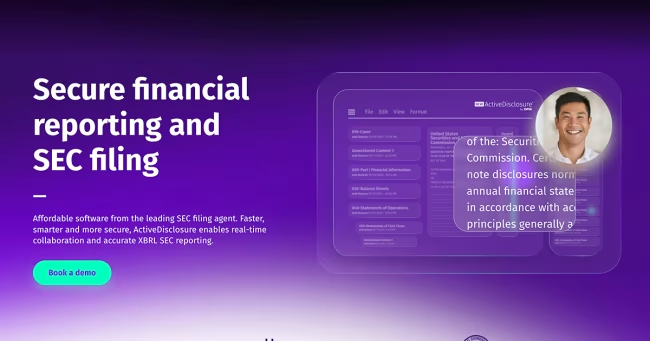
DFIN ActiveDisclosureSM addresses the specific needs of compliance teams managing SEC filings. As an all-in-one solution for SEC filing and reporting, it brings together document management, XBRL tagging, workflow automation, and EDGAR submission in a single platform.
The platform supports both SEC and SOX compliance with robust audit trails and attestation workflows. Your team can collaborate in real time while maintaining the controls your auditors expect. DFIN backs this technology with responsive support from experts who understand regulatory requirements.
For mid-sized private companies entering the SEC reporting world, ActiveDisclosure offers a path to compliance without building an entire new infrastructure. You get the capabilities of enterprise-grade software with the support to help you use it effectively.
In Conclusion: Making Your SEC Reporting Software Decision
Choosing SEC reporting software is a decision that will affect your compliance operations for years to come. Take the time to thoroughly assess your needs, evaluate vendors against clear criteria, and plan for successful implementation.
Start by documenting your current filing process and pain points. Build evaluation criteria that reflect your specific situation. Conduct thorough vendor assessments that go beyond impressive demos to reveal real-world performance.
Remember that the goal isn't just to check a compliance box. The right software should make your entire team more effective, reduce stress during filing periods, and give you confidence that your disclosures are accurate and timely. That's an investment worth making carefully.
FAQs About How to Choose SEC Reporting Software in 2026
What is SEC reporting software and why do private companies need it?
SEC reporting software automates the creation, formatting, and submission of filings required by the Securities and Exchange Commission. Private companies need this software when they cross registration thresholds that trigger ongoing reporting obligations.
The right software reduces manual effort, ensures compliance with XBRL requirements, and maintains audit trails that satisfy SOX controls.
How do I know if my private company needs to file with the SEC?
Your company must register with the SEC if you have total assets exceeding $10 million and a class of equity securities held by 2,000 or more persons, or 500 or more persons who are not accredited investors. Certain capital-raising activities also trigger reporting requirements.
Consult with securities counsel to determine your specific obligations based on your shareholder base and how you've raised capital.
What XBRL capabilities should I look for in SEC reporting software?
Your software should support the current SEC taxonomy, handle custom extensions, validate calculations, and catch errors before filing. Look for automated tag suggestions and the ability to maintain tagging consistency across reporting periods.
ActiveDisclosure includes expert iXBRL conversion services that ensure your tagged filings meet all SEC requirements.
How long does it take to implement SEC reporting software?
Implementation timelines vary based on your current systems and filing complexity. Simple implementations might take six to eight weeks, while complex migrations from legacy systems can take three to six months.
Plan your implementation to avoid overlap with major filing deadlines. Most teams target the period between annual and first-quarter filings.
What should I budget for SEC reporting software?
Total cost of ownership includes license fees, implementation costs, training, and ongoing support. Rather than focusing solely on the license price, calculate the value of time savings and risk reduction the software will deliver.
Request detailed pricing from vendors that includes all fees, not just the base subscription cost.
How does SEC reporting software help with SOX compliance?
SEC reporting software supports SOX compliance through access controls, approval workflows, and automatic audit trails. These features document who made changes, when, and who approved them – exactly what your auditors need to see.
ActiveDisclosure specifically supports attestation workflows that satisfy SOX requirements while streamlining your filing process.
Can SEC reporting software integrate with my existing financial systems?
Most enterprise SEC reporting platforms offer integrations with common ERP and financial systems. This allows you to pull financial data directly into your filings rather than manually re-entering information.
During your evaluation, specifically test the integrations relevant to your technology stack.
What support should I expect from an SEC reporting software vendor?
Look for vendors that offer live support during filing deadlines, not just standard business hours. Your most urgent needs will arise when you're racing against SEC submission cutoffs.
DFIN offers industry-leading support with live experts who understand the nuances of SEC filing requirements and can help you resolve issues quickly.
The right SEC reporting platform can save time, reduce errors, and simplify compliance. Learn how to identify the best fit for your team.